You can train AI to sound exactly like you instead of pumping out robotic slop. The trick is to stop treating it like a search engine and start treating it like a new hire. A new hire needs a brain, a set of tools, and real training before they can do the job. AI works the exact same way, and this guide walks you through all three parts.
Why Most People Get AI Slop
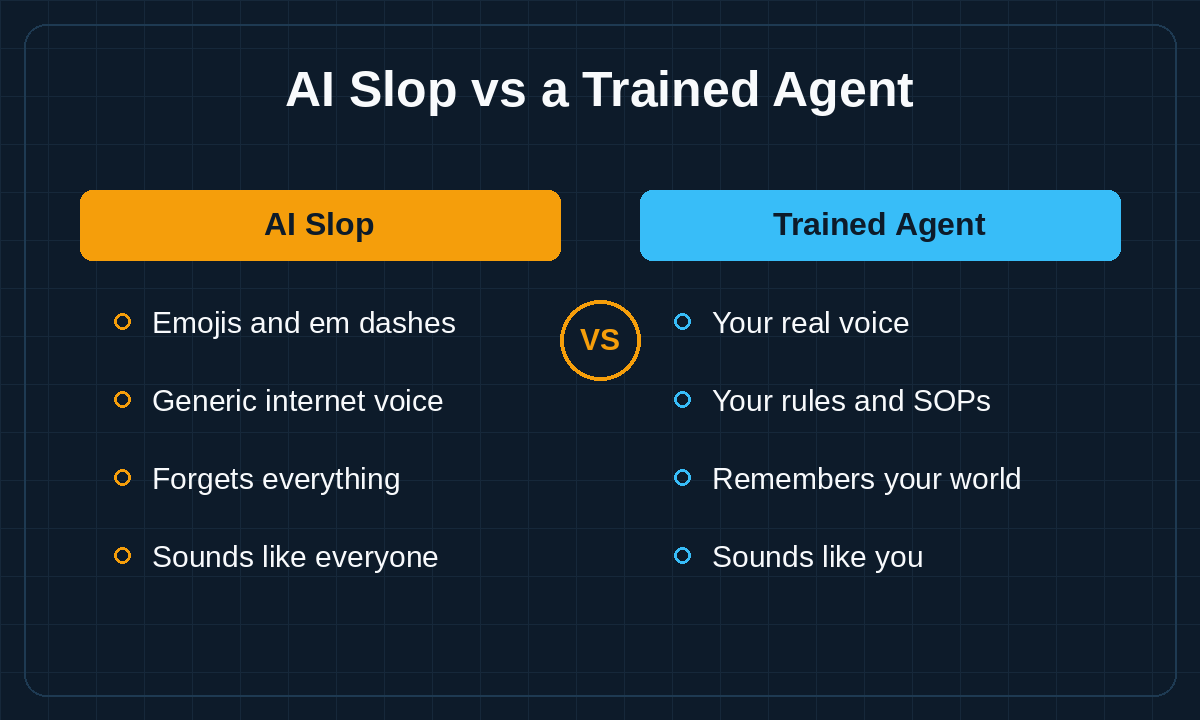
Most people open ChatGPT or Claude and type "write me a LinkedIn post." What comes back is full of emojis, em dashes, and generic filler that sounds like everyone else online. That is what we call AI slop, and you can spot it instantly on someone's feed.
Here is the real problem. They never trained the tool. They hired a brilliant assistant and then gave it zero direction, no examples, and no rules. Then they wonder why the work sounds nothing like them. A new employee with no onboarding would fail the same way.
The fix is not a better prompt every single time. The fix is building the AI the right way once, so it already knows your voice before you ask.
The 3 Parts of Every AI Agent
Every real agent comes down to three simple parts. Once you see them, the whole thing stops feeling technical.
The first part is the brain. That is just the model, like Claude, ChatGPT, or Gemini. The brain is where the thinking happens, and you can swap brains depending on the job.
The second part is the hands. Those are the tools the agent can actually touch, like your website, your Facebook account, your Google Sheets, or your email. A brain with no hands can think but cannot do anything. Tools like Zapier connect one app to another so the agent can take real action.
The third part is the harness. This is the part almost nobody talks about, and it is the most important. The harness is your voice, your rules, your workflow, and your standard operating procedures. It is what makes the agent yours instead of generic.
What the Harness Actually Contains
Think about hiring an assistant for 20 hours a week. If you never train them, they will not do the job the way you want. You have to give them your preferences, your standards, and your way of doing things. The harness is exactly that for AI.
It holds your memory, so the agent remembers what you told it last week. It holds your rules, like "no em dashes" and "never use a sentence under five words." It holds your skills, which are the specific ways you want a blog, an email, or a reply written. Together those pieces turn a generic chatbot into something that works like a trained team member.
The 7 Files That Make a Real Agent
When you build an agent the right way, you give it seven simple files. Each one teaches the agent something about you and the job.
- The soul file defines who the agent is and what it does.
- The user file describes you, your business, and your clients.
- The memory file teaches it how to retain what it learns over time.
- The style file holds your voice and the way you communicate.
- The agents file tells the AI how this particular agent operates.
- The tools file lists everything the agent can access, like your email and your social accounts.
- The heartbeat file sets a daily or weekly schedule so it can work on autopilot.
Here is the part that surprises people. You do not have to write these by hand. You can screenshot this list, hand it to Claude, and say "help me build these for my business." The AI will walk you through every file step by step.
Train It Like a New Hire, Not a Magic Button
Smart companies put a new hire on a 30-day window before they hand over full control. You should do the same with AI. Let it draft, review the output, and correct it before you ever let it run unattended.
That is exactly how I run my own agents. My thumbnail agent could post on its own, but I keep a review step because I want every thumbnail to be right first. Once it proves itself over 30 to 60 days, I hand it more control. Trust is earned the same way it is with a person.
A Few Habits That Make This Work
Give the agent real examples of your best work to copy. Tell it to be hard on you and skip the empty praise. Start with one small job before you ask it to run your whole operation. The goal is one reliable agent, not 10 shaky ones.
Frequently Asked Questions
Why does AI sound so robotic when I use it?
Because it has no training and no examples to copy. With no voice file or rules, the model falls back on a generic internet style full of em dashes and emojis. Give it your real writing to imitate and the robotic tone disappears.
Do I need to know how to code to train AI like this?
No, you do not need any coding background. You can describe what you want in plain language, and the AI itself will help you build the files. The whole point is that the tool does the technical work for you.
What is the difference between a chatbot and an agent?
A chatbot answers one question and forgets it. An agent has memory, rules, and tools, so it can do a real job without you prompting it every time. The seven files are what turn one into the other.
How long does it take to set this up?
The first agent takes about 1 hour once you understand the parts. After that, each new agent takes far less time because you reuse your voice and rules.
Can I do this on the cheap Claude plan?
Yes, you can build agents on the $20 a month plan. Not every agent needs a fancy interface, and many run entirely through text on your desktop.
The Bottom Line
AI is not a magic button, and it is not your replacement. It is a new hire that gets better the more you train it. Give it a brain, give it hands, and most of all give it a harness with your voice and your rules. Do that once and it will sound like you every time after that.
Key Takeaways
- Most AI slop comes from skipping training, not from a bad tool
- Every agent has 3 parts: a brain, hands, and a harness
- The harness holds your voice, rules, memory, and skills
- 7 simple files turn a chatbot into a trained team member
- Treat a new agent like a new hire and earn trust before going hands off